
Can AI Turn My Dog's Regular Phone Photos into Realistic Studio-Quality Pet Portraits with Beautiful Backgrounds and Professional Lighting?
Learn how to turn everyday dog photos into studio-style portraits, choose suitable lighting and backgrounds, and review AI results before printing.
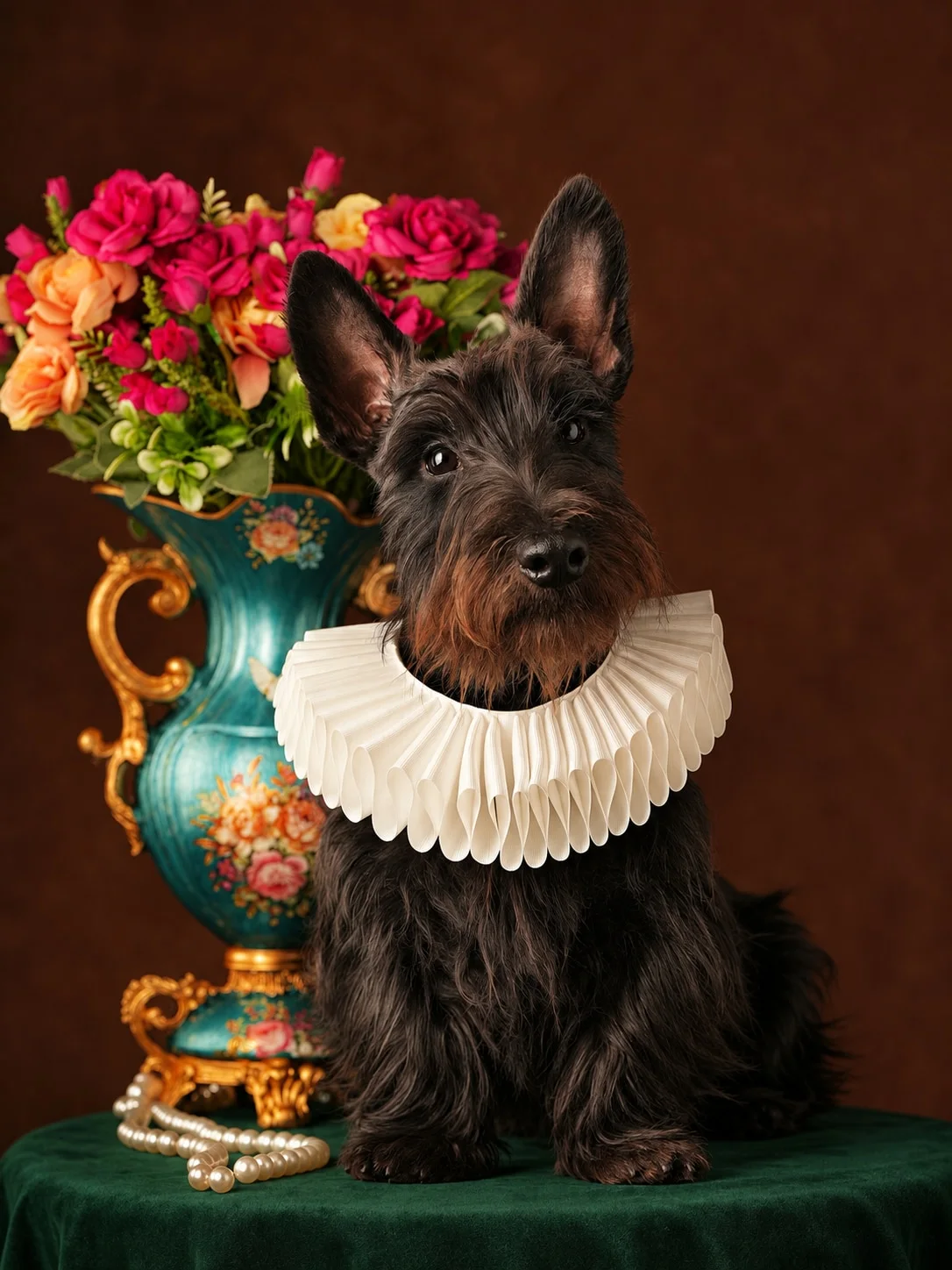
Table of Contents
- Can a Phone Photo Really Become a Studio Portrait?
- What Makes a Studio-Quality Pet Portrait?
- 6 Studio Portrait Styles to Explore
- How to Choose the Best Original Photo
- How to Create a Studio-Style Dog Portrait with AI
- Tips for More Realistic Results
- Frequently Asked Questions
Can a Phone Photo Really Become a Studio Portrait?
You probably have hundreds of photos of your dog on your phone.
Some were taken during walks, others while your dog was sleeping, and a few were captured during those funny moments when they looked directly into the camera.
But not every photo looks suitable for printing or framing.
Professional pet photography usually involves carefully arranged lighting, suitable backgrounds, and thoughtful composition.
AI makes it possible to recreate aspects of this professional look using an ordinary photograph.
An AI pet portrait generator can transform a simple snapshot into an image with a cleaner background, more polished lighting, and a carefully composed portrait style.
You don't need a professional photographer or an expensive camera.
What Makes a Studio-Quality Pet Portrait?
Professional studio portraits usually have several characteristics.
Clean Backgrounds
A simple background keeps attention on your dog.
It might be a neutral gray backdrop, a warm beige setting, or a more dramatic dark environment.
Balanced Lighting
Good lighting helps reveal your dog's fur texture, eyes, and facial expression.
Soft lighting can create a gentle appearance, while dramatic lighting produces a more cinematic look.
Sharp Facial Details
The eyes are especially important.
A portrait feels more personal when your dog's expression remains recognizable.
Thoughtful Composition
A good composition gives your dog enough space in the image while keeping the face as the main focal point.
6 Studio Portrait Styles to Explore
1. Classic Neutral Studio
A clean, timeless portrait with a simple background.
This style works well for almost every breed.
2. Dark Dramatic Studio
Dark backgrounds and directional lighting create a sophisticated look.
This style is especially striking for dogs with distinctive fur colors.
3. Luxury Editorial
Inspired by fashion photography, this style combines elegant lighting with polished composition.
4. Warm Lifestyle Studio
A softer approach featuring warm tones and a comfortable atmosphere.
It can make your dog look approachable and relaxed.
5. Fine Art Portrait
Fine art portraits combine traditional artistic techniques with photographic composition.
They are particularly suitable for framed artwork.
6. Classic Expression Portrait
The emphasis is on your dog's facial expression.
Instead of elaborate scenery, the portrait highlights the details that make your dog recognizable.
How to Choose the Best Original Photo
You don't need a perfect photo, but some characteristics help.
Good lighting
Avoid extremely dark photographs or harsh shadows across your dog's face.
Visible eyes
A photo where both eyes are visible is often a useful starting point.
Natural fur appearance
Choose an image where your dog's coat color and markings are easy to see.
Simple composition
Avoid photos where your dog is partially hidden behind furniture, toys, or other objects.
How to Create a Studio-Style Dog Portrait with AI
Pettenderly provides several pet portrait styles that can help you create polished images from ordinary photos.
Follow these steps:
- Open Pettenderly.
- Browse the available portrait templates.
- Consider options such as Studio Portrait Series, Dramatic Studio Portrait, and Luxury Editorial Portrait.
- Upload your dog's photo.
- Generate your portrait.
- Review the result and download the image you like.
You can try different styles using the same original photo.
Tips for More Realistic Results
- Start with a high-quality original image.
- Make sure your dog is the main subject.
- Use natural lighting whenever possible.
- Avoid excessive editing before uploading.
- Experiment with different portrait styles.
- Review the final image before printing.
Remember that AI-generated results can vary. A realistic-looking portrait is possible, but no tool can guarantee perfect facial consistency in every generation.
Frequently Asked Questions
Can AI make my dog's phone photo look professionally photographed?
AI can transform an ordinary image into a polished portrait with a different background and artistic lighting.
Do I need a DSLR camera?
No. A modern smartphone camera is sufficient for many pet portrait projects.
Can I change the background?
Yes. AI portrait styles can generate different backgrounds and environments.
Will the generated image preserve my dog's fur pattern?
Your uploaded photo guides the result, including fur color and markings. Accuracy may vary.
Can I create portraits of puppies?
Yes. Puppies can also be used as subjects for AI pet portraits.
Turn Everyday Dog Photos into Special Keepsakes
You don't need to wait for a professional photography appointment to create something beautiful.
Choose a favorite phone photo, explore different portrait styles, and create an image worth keeping.