Choose a style
Find the look that feels like them.
 Pettenderly
AI PET PORTRAIT STUDIO
Upload your pet’s photos and choose a look—from royal portraits to sunny getaways. Create a keepsake full of their personality.
Also in Pettenderly: portraits together & photo cleanup Beta
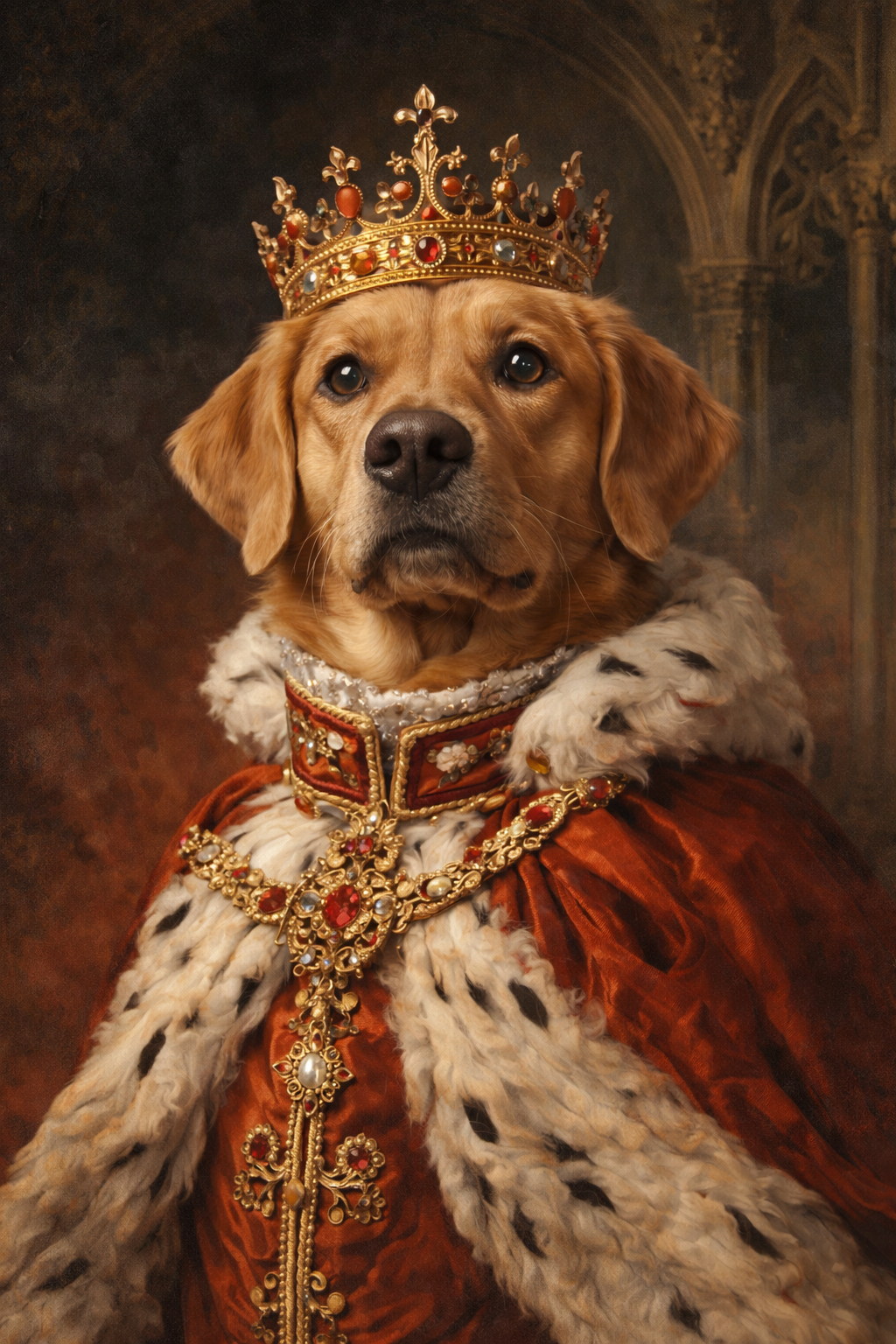
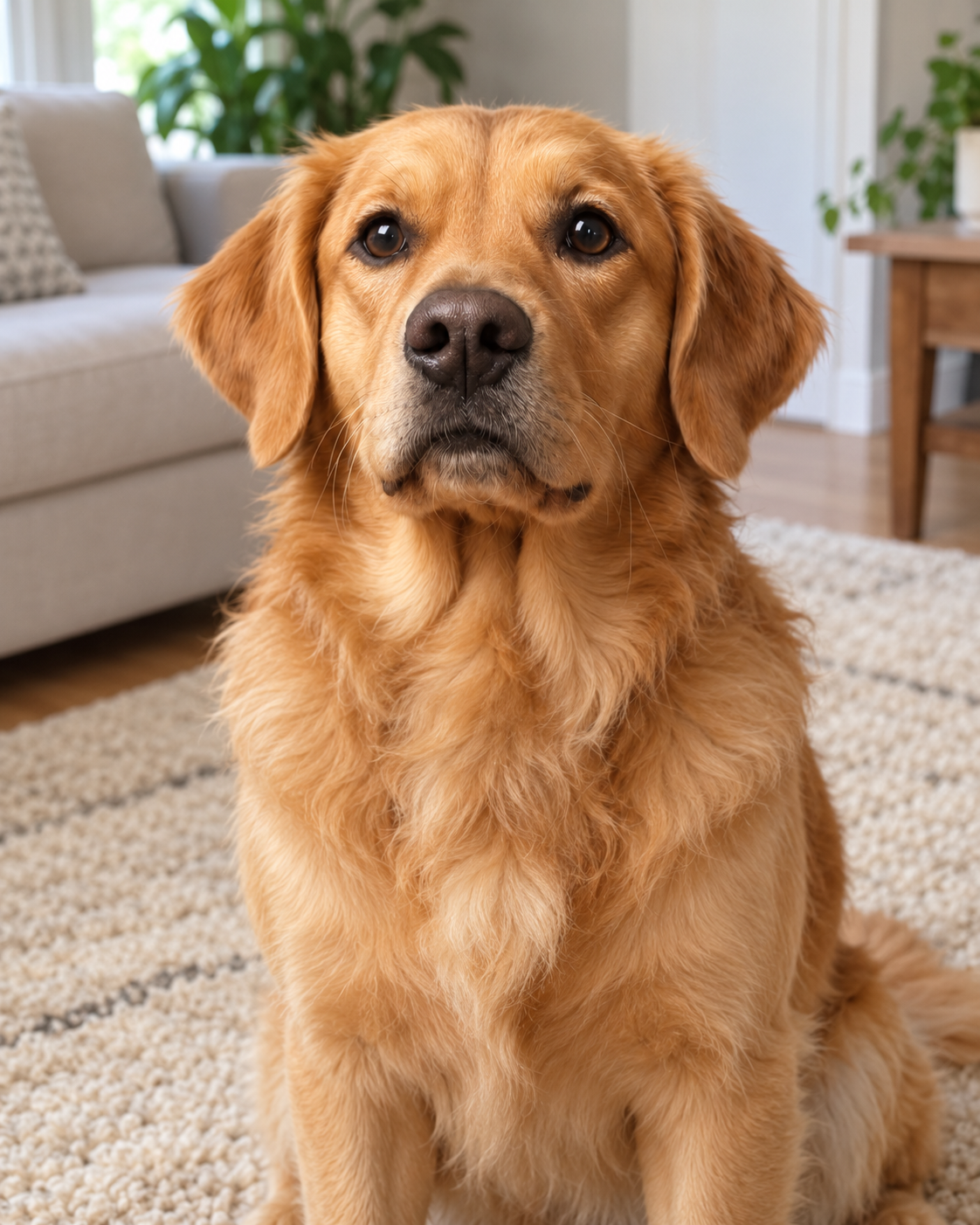
Same little soul.
A whole new story.
Illustrative AI examples. Your result will depend on your photos.
A LOOK FOR EVERY LITTLE PERSONALITY
Royal, playful, adventurous—or simply them.
FROM A FAVORITE PHOTO TO A KEEPSAKE
Find the look that feels like them.
Clear face. Good light. One little star.
Generate your portrait, then save your favorite.
Loading studio…
MORE WAYS TO KEEP THE MOMENT
Two new tools, still growing. Our portrait studio remains the best place to start.
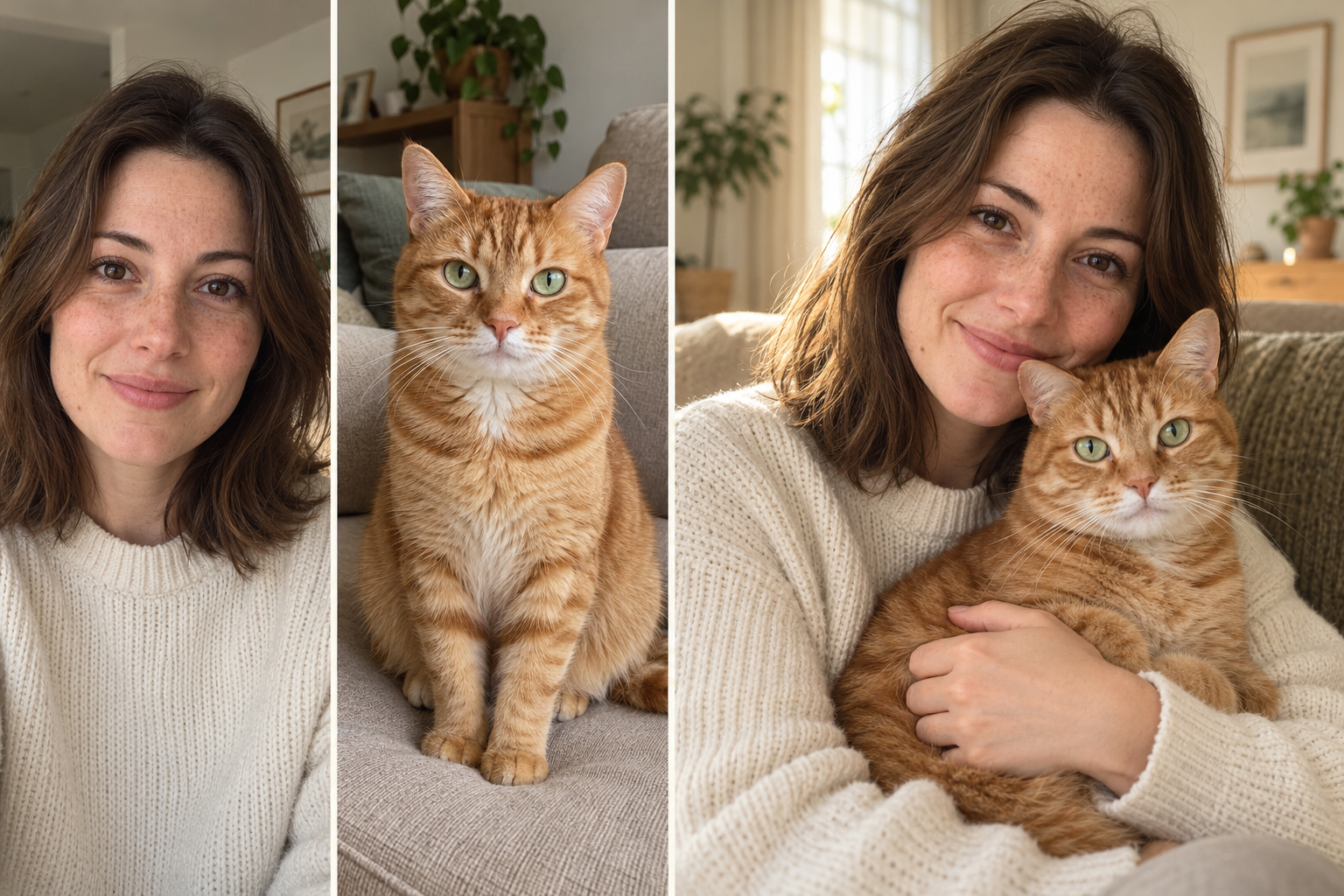
Bring separate photos together in one warm portrait. Face accuracy is still improving.
Try a portrait together →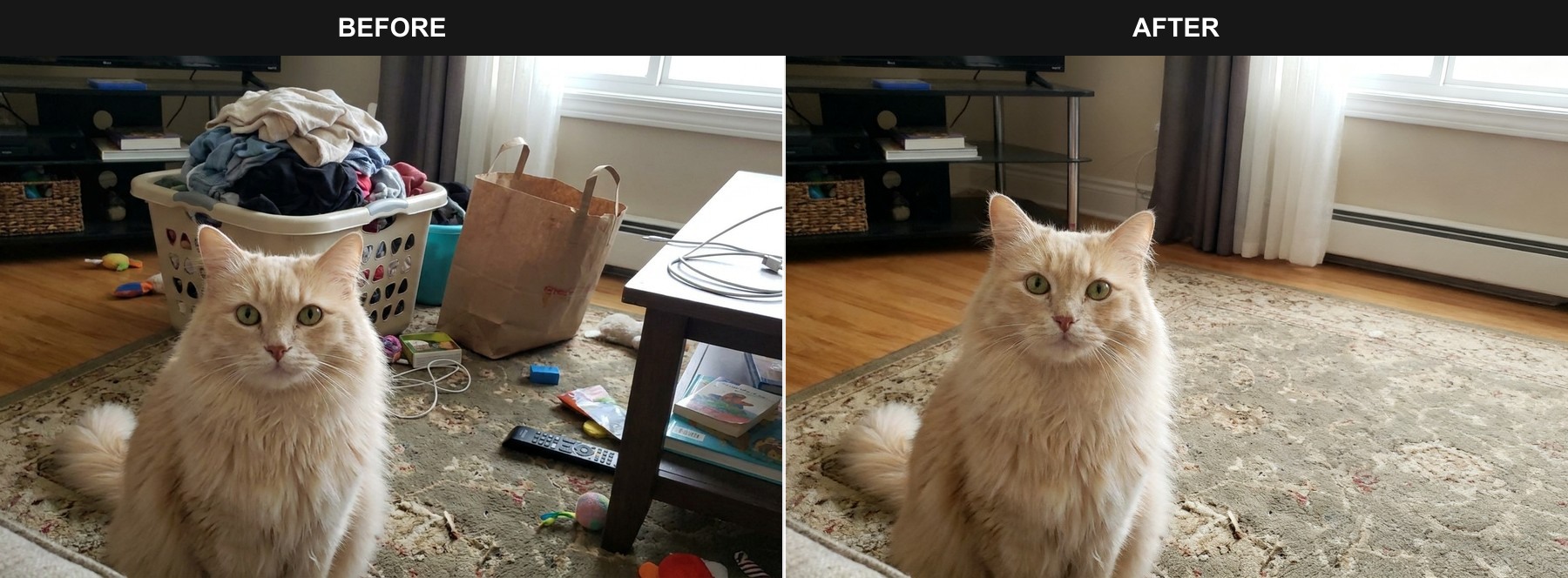
Remove everyday distractions with a simple instruction. Review the fine details in your result.
Edit a pet photo →MAKE ROOM FOR MORE MEMORIES
Start with a one-time pack, or create more with a subscription. One image uses one credit.
Pack à achat unique : 12 crédits = 12 portraits générés
No sign-up or login · One payment, no subscription
40 crédits par mois pour créer régulièrement des portraits d’animaux
40 crédits par mois pour créer régulièrement des portraits d’animaux Économisez environ 34 % par rapport à la facturation mensuelle.
Annual plans provide credits monthly. Unused monthly credits do not roll over. Starter pack credits do not expire.
Choose a style, upload clear photos of your pet, and generate a portrait. You can view and download the result from the studio or My creations.
Use clear, well-lit JPG, PNG or WebP photos, up to 8 MB each. Show one pet with visible eyes and natural fur markings. A few different angles can help preserve their identity.
Your photos guide the face, fur and markings. AI results can vary, especially with complex costumes or poses. Review your result before downloading or printing.
Yes. Open More tools in the studio and choose You & your pet. Upload a separate person photo and pet photos. This is a beta feature: face accuracy is still improving.
Yes. Photo cleanup lets you describe changes such as removing a trash can, a cable or background clutter. It is a generative beta, so fine details may change.
One generated image uses one credit. Failed generations do not use a credit. Starter pack credits do not expire. Subscription credits refresh each month and unused monthly credits do not roll over. Your current balance appears in the studio and billing settings.
No. You can purchase a one-time Starter pack without a subscription. Guest buyers receive an email link to access their credits. A subscription requires an account and includes a monthly credit allowance.
Your result appears in the studio and your recent creations. Download your favorites to keep a local copy. Sign in with the same account, or use your guest purchase link, to return to your credits and history.
Open Credits & billing and choose Manage or cancel subscription. Sign in to the billing portal with your payment email to stop renewal; your current paid period remains available. For payment questions or refunds, contact support@soulpaw.art. Refunds follow our refund policy.
Your photos are sent to our image service to create your requested result. Only upload images you have permission to use. Read our privacy policy for data handling details, or contact support@soulpaw.art with a deletion request.
PETTENDERLY
Their little face. Your favorite new memory.
Create my pet’s portrait →PET PORTRAIT STUDIO
Only upload photos you have permission to use. Clear eyes, natural light and one pet work best.
Keep this page open while your image is being created. Failed generations do not use a credit.
Style preview — your pet’s portrait will appear here after generation.
Log in to see your saved creations. Starter pack guests can access their purchases using the link sent to their email.